The ZeroWriter Ink
The BYOK (Bring Your Own Keyboard)
Writer Deck

Updated 09/08/2026
Proudly WEB 1.0 (with CSS)
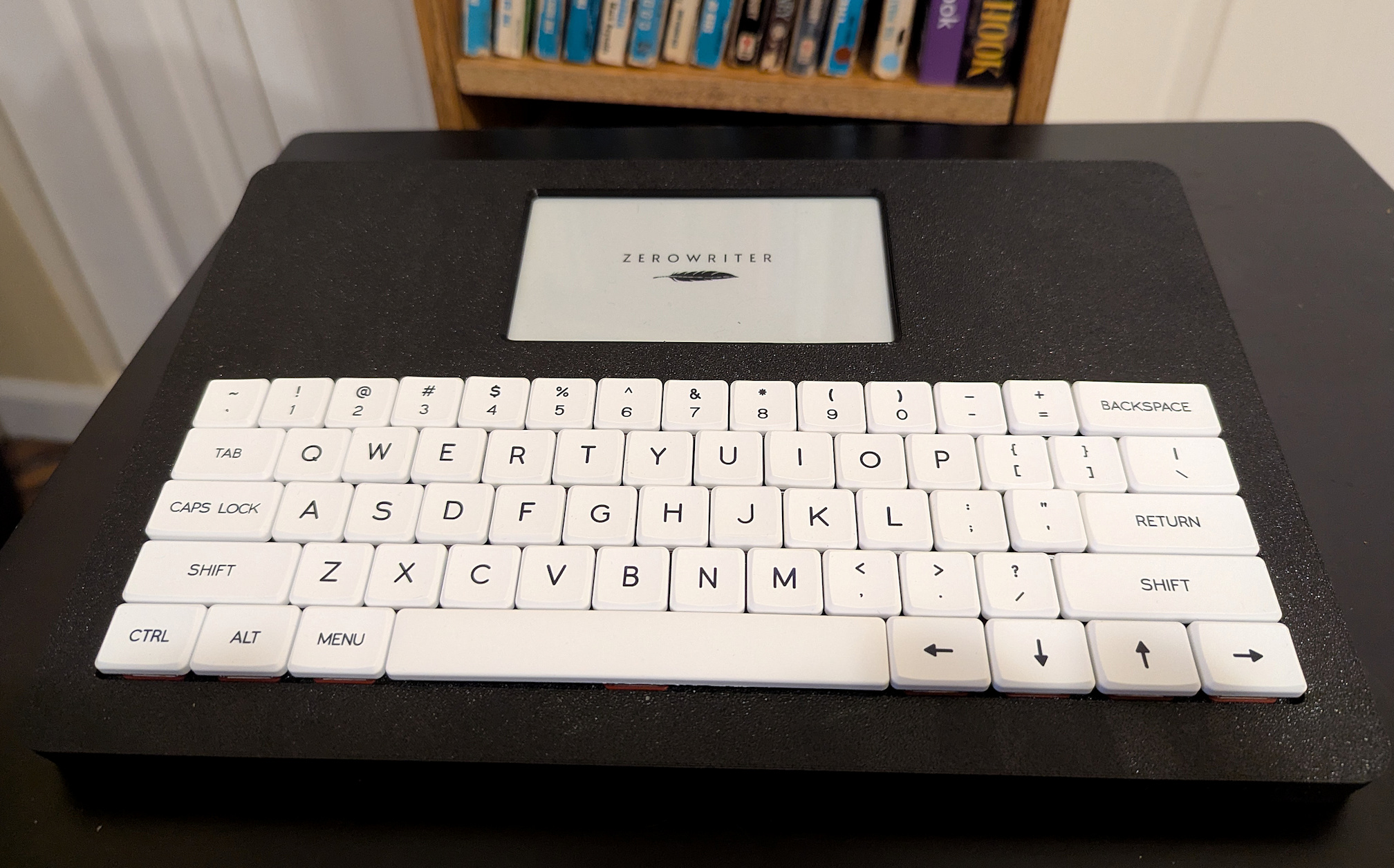
The Zerowriter Ink is a first attempt by a new company at mass producing an Alphasmart inspired Writer Deck. What is exciting right off the bat is that this is an effort to do this with everything open. The hardware is open and the software is all open source. Plus, it is truly designed to be operated totally off-line.
The Zerowriter is truly a Alphasmart Neo with a ePaper screen. The screen is the shining gem of this Writer Deck. It is the best e-Paper/e-Ink screen I have ever seen for writing. It is sharp and clear and so far I've seen no ghosting or artifacts. The screen is going to be a big selling point for this Writer Deck. It is stunning. The software provides a simple editing experience with file management and files can be transferred to your computer via the SD card. A completely offline digital typewriter. Simple, fit-for-purpose, and made in Canada and Croatia, not China.
I'm impressed by Adam's ability to build a company with large amounts of user input and his dedication to very responsive customer service, including parts replacement. It means you have to be willing to hang out on the Zerowriter Discord server to take full advantage of this, but it is a good and well-behaved community of users with a wide variety of experience. He already has a second clamshell model that will become available in early 2027 (see the link below). And, importantly, the prices are reasonable. In fact, I have backed the Fold because I really want to support this company.
|
This is the place to start to learn more about Zerowriter and to order the Ink or Pre-order the Fold |
|
|
A means for user-to-user as well as user-to-developer discussion and help. Very helpful and polite folks. |
|
|
A good summary of Zerowriter basics. |
|
|
Zerowriter Ink firmware updates, instructions and updated documentation. If you are more adventurous, you can find beta releases on the Discord server. |
|
|
You can read up on the Zerowriter Fold and preorder it if you choose to do so. |
|
|
There are people on this forum I frequent that have and discuss the Zerowriter Ink. I am H0ok there. Feel free to ask questions and we'll try to help. |
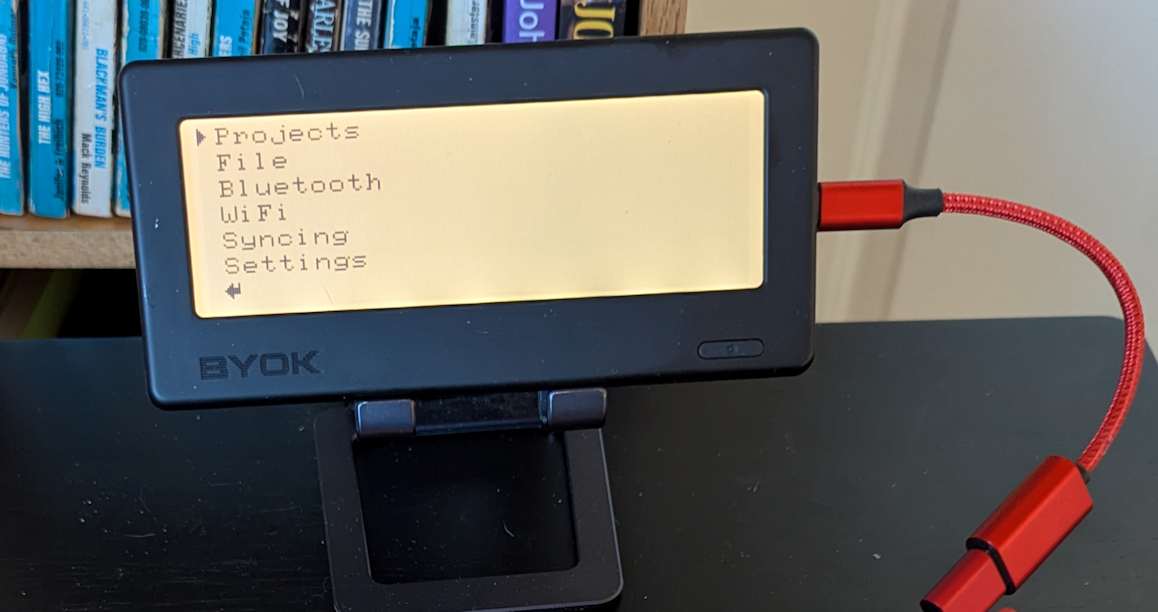
This is also a new Alphasmart inspired Writer Deck from a new company. Similar to the Micro Journal Rev 5, the BYOK is just a screen with software. The screen is monochrome LCD with adjustable back lighting. You pick whatever keyboard you want, which, if you already have keyboards you love, makes this an inexpensive Writer Deck. If you have to buy a keyboard for it, it is a little more expensive. It comes with a simple magnetic ring stand, but you can purchase inexpensive phone stands of various designs to create the best viewing angle.
The BYOK features a simple editor that organizes your work into projects and files, providing a simple text editor for drafting. Writing is saved as you go, locally. There is no save command. You can use it entirely off line, transferring files to your computer, or you can sync files to their server for free (no subscription required). You can also edit your synced file online from any device, also free. You can use any keyboard with the BYOK, even an Alphasmart Neo.
The big difference here is that they offer a suite of online writing tools called Studio. Studio is where you sync to online and where you have free access to a simple text editor. But there are other tools for planning, developing and supporting your writing. Again, I won't go into detail here as this is constantly evolving and I am not using it, but it seems like a useful set of tools if they fit with how you work and you find the benefit is worth what you pay.
At it's core, the BYOK is a inexpensive writer deck (especially if you already have a good keyboard for it)that can be used completely off line as long as you don't need the online Studio. The BYOK certainly is worth consideration and I wish them success.
|
BYOK Device Home where you can find information and purchase. |
|
|
An online Quick Start and User Manual for the BYOK |
|
|
Information on BYOK's Studio Writing Platform. It offers a free trial. Keep in mind that syncing files created on your BYOK to Studio and using Studio's online text editor are always free, although they do require creating an account. |
|
|
There are people on this forum that have and discuss the BYOK. |
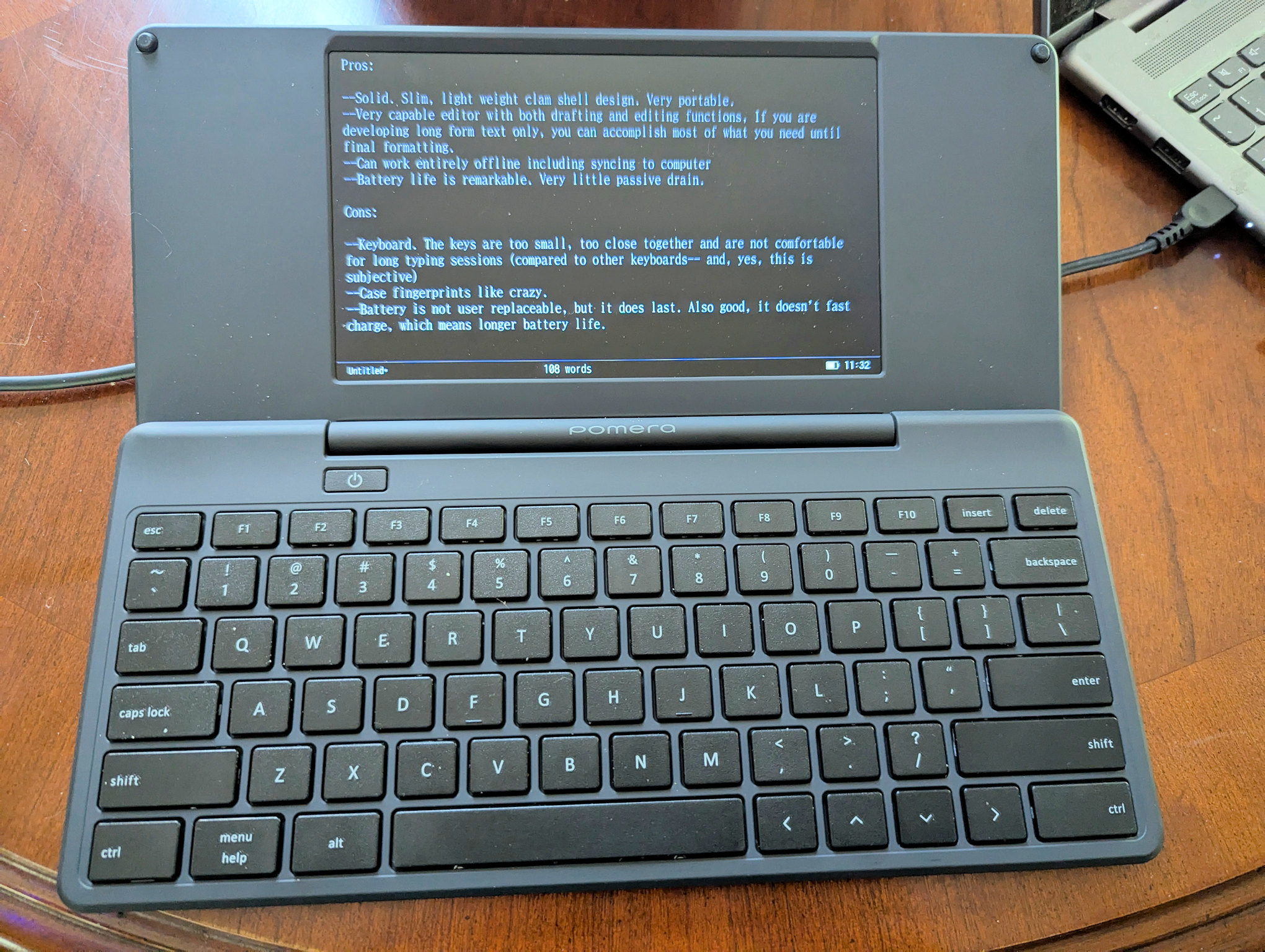
The Pomera DM250US is the US version of one of a popular line of Japanese Writer Decks. And it has a lot to recommend it, so I am including it here. But I do feel it has two strikes against it that you should consider. First, it is very expensive. I got mine when it was first crowdfunded and paid much less for it. If it has features you want that most Writer Decks don't have (it does), it may be worth paying so much more for you. The second strike is a little more subjective. I think the keyboard is too small and the keys are flat, don't have good spacing and very little travel, making it an uncomfortable typing experience with big hands (like mine). YMMV.
However, those personal caveats out of the way, This small clamshell has a very full featured text editor on board with full word processing capabilities (without the GUI).It features an editor with solid features, including outlining, split screen, symbol insertion, file management, send to email, and many more. Everything is on a set of menus that appear with a key press. Otherwise, you are working with a very clean editing screen with filename, wordcount, battery icon and time at the bottom of the screen. There is also a very extensive set of keyboard shortcuts. It reminds me of the old DOS editors of the 80s like KEDIT. This is a device you can both draft and edit on.
The hardware is solid, lightweight and easy to carry. It has a black and white LCD screen and navigation arrows. It has good battery life and can be used entirely off-line with an SD card. A lot to recommend the Pomera, if you can deal with the keyboard. And the Price.
|
Not sure how long it will last, but you can still order the Pomera from IndieGoGo at a slightly reduced price. Note: This only ships to the US (it is warehoused in the US, not coming from Japan) |
|
|
This is a King Jim Website, but hosted on a US domain where you can order the DM250US. I can't find where they say they only ship it to the US like they say on Indiegogo, but I suspect that is true here also. |
|
|
This PDF calls itself a "Quick Start Guide," but it is more extensive than the paper version included in the box. | |
|
A thread at the Alphasmart - Writing Tools forum on Flickr. This is the best place to come and ask questions. |
All content © 2026 Hook Mountain Studios, except where other authorship or sources are indicated.
If you would like to contact me, you can either find me on the Alphasmart-Writing Tools Forum on Flickr or you can Email me.